Templates / Debt Snowball & Avalanche Calculator
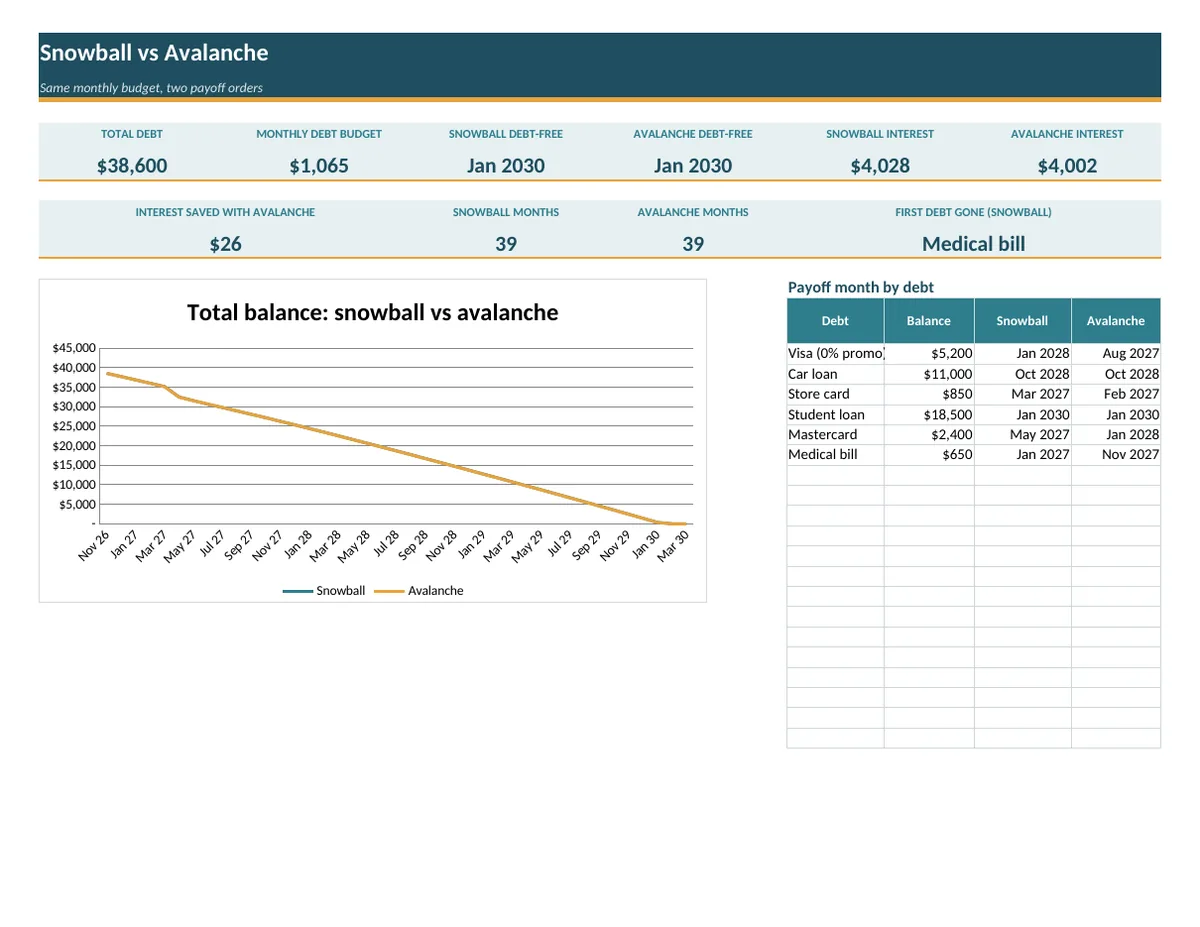
Debt Snowball & Avalanche Calculator Spreadsheet
See when you'll be debt-free, and compare the two most popular payoff methods side by side.
$9
Buy on Ko-fi, $9Instant download: you get one .xlsx file. For Google Sheets, upload it to Google Drive and open it with Google Sheets. Digital item, so nothing is shipped. Personal use only; please don't resell or share the file.
What's inside
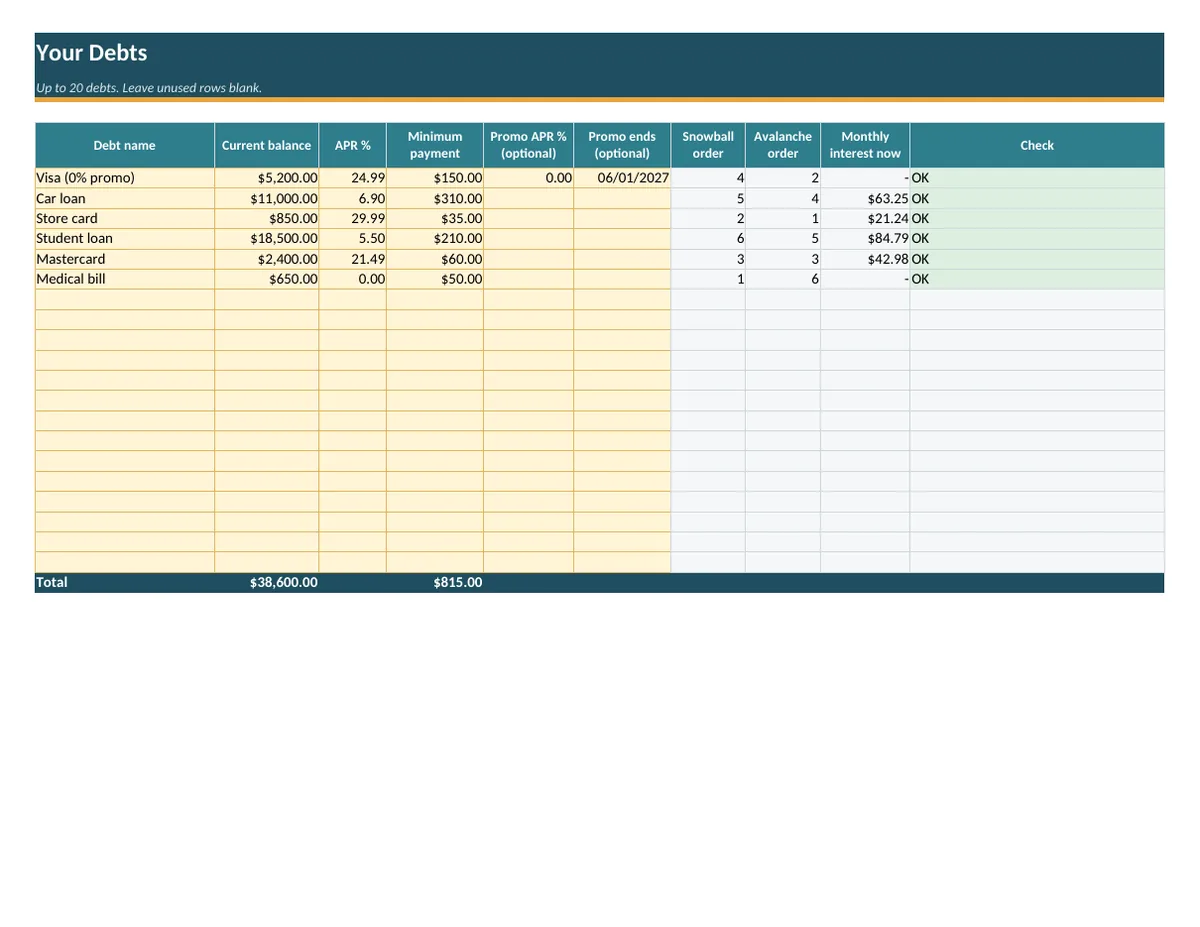
- Up to 20 debts: balance, APR, minimum payment, plus an optional promo APR with its end date (for 0% balance transfers)
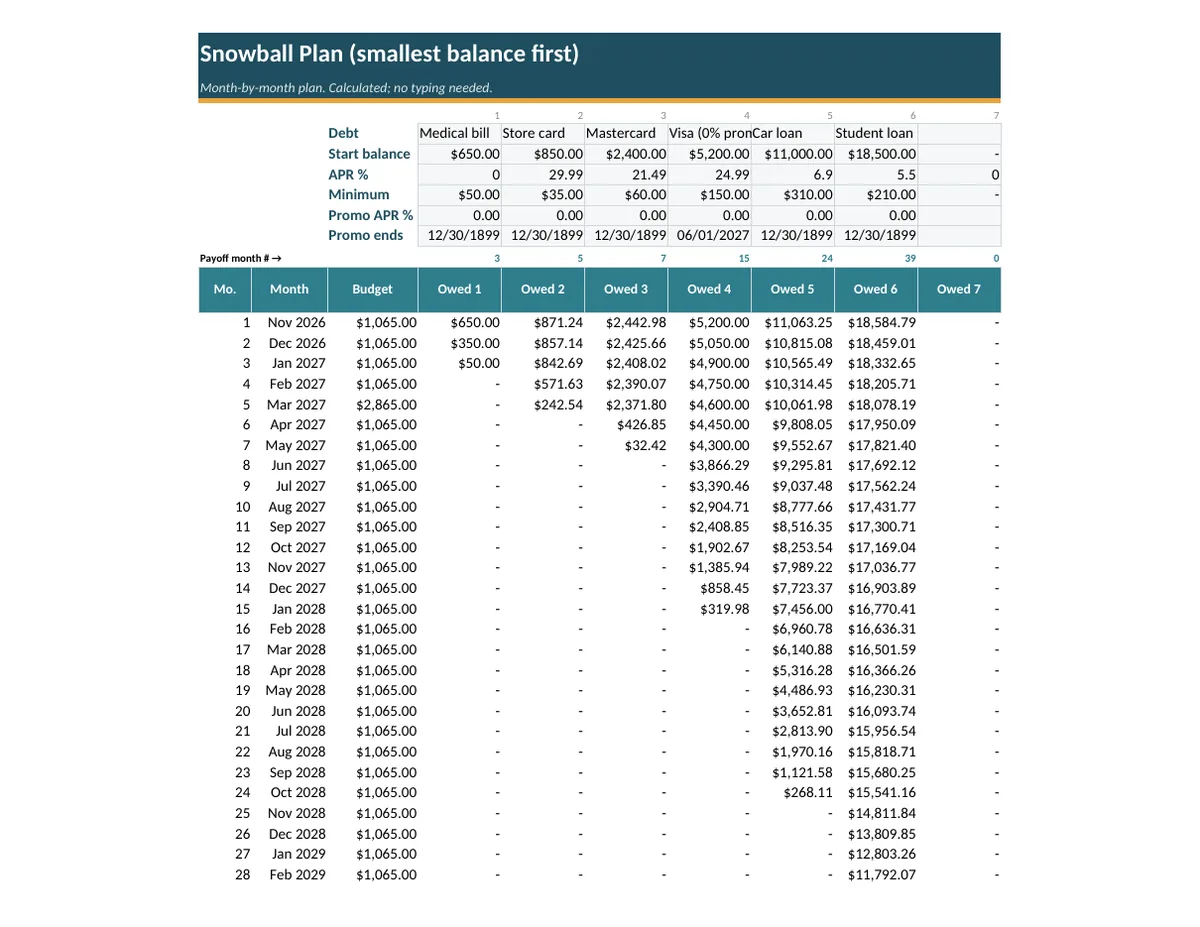
- Snowball plan (smallest balance first) and Avalanche plan (highest APR first), month by month for up to 30 years
- Compare tab: debt-free date, months, and total interest for each method, interest saved, a payoff date for every debt, and a balance-over-time chart
- Freed-up minimums roll into the next debt automatically
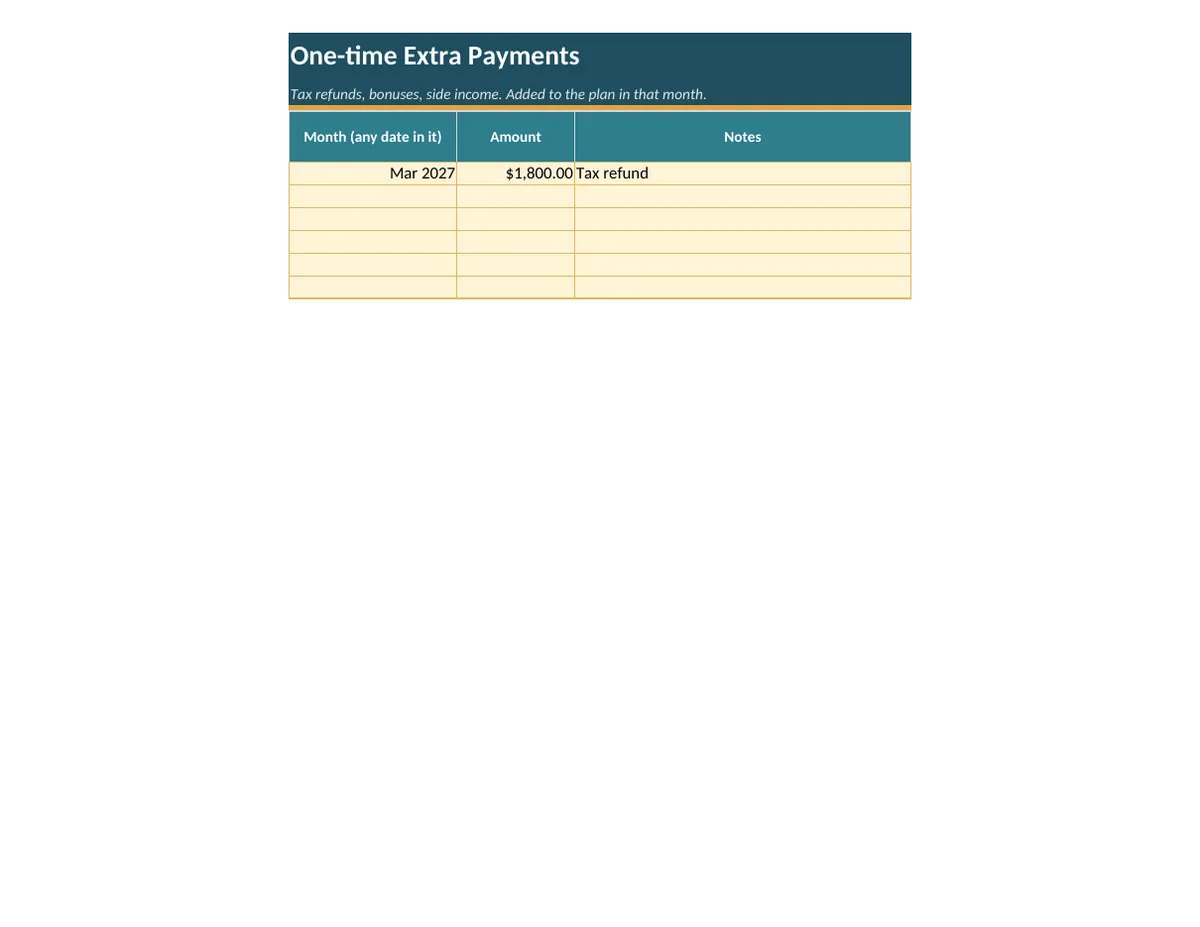
- One-time extra payments: add a tax refund or bonus in the month you'll pay it
- Checks that flag a minimum that doesn't cover the interest, or an APR typed in the wrong format
Good to know
- Works in Microsoft Excel, Google Sheets and LibreOffice. No macros.
- Results are estimates from the numbers you enter; your lender's statements may differ slightly.
- Yellow cells are for typing; grey cells calculate.
Not financial advice.
Previews
Questions
What's the difference between snowball and avalanche?
Snowball pays the smallest balance first; avalanche pays the highest APR first. The Compare tab shows the debt-free date and total interest for each so you can pick.
Can it handle a 0% balance transfer?
Yes. Enter an optional promo APR and its end date for any debt.
How many debts can I enter?
Up to 20.
Will the numbers match my statements exactly?
They're estimates from the numbers you enter; your lender's statements may differ slightly. Not financial advice.